Increase your computer performance, optimizing RAM usage

CPU and RAM memory are among the most important factors to determine computer's power. The first one refers to the velocity of the computer to operate data; the second one refers to the amount of memory the PC has in order to handle those data. This is one of the cases in which it's always true to say, the more the better. Unfortunately, we are not always financially able to upgrade our computer.

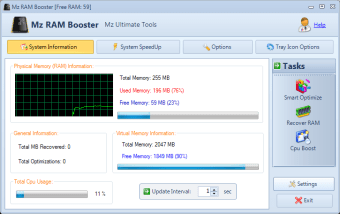
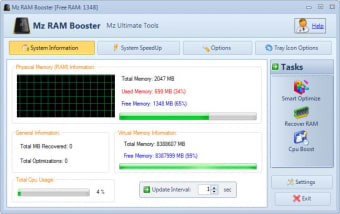
Another way to increase the performance of your PC is to use a program that optimizes the usage of these crucial components, CPU and RAM. Mz Ram Booster is a free application that is supposed to do so. It's fairly friendly to use and there is also a comprehensive manual at your disposal. For non-expert users I would just recommend pressing the 'recommended settings' button and applying the settings before closing the program. This will free RAM when CPU usage is lower then 30% and will auto optimize the memory every two hours.

It is also interesting that you can set the CPU's priority, choosing to give the best response time to foreground applications or to background ones, or to apply the same priority for both. You can also set your processor's L2 cache size if you know it exactly, otherwise run CPU-Z to get the exact number of Kilobytes.

Give your computer a boost improving RAM and CPU usage. It can make a difference, especially if your computer is not particularly powerful, otherwise its benefits may be limited.


  • Pros

    • Recommended settings options
    • Friendly interface
  • Cons

    • No recommended settings for CPU usage
    • Not immediate visible effects
 0/2

App specs

  • License

    Free

  • Version

    4.1.0
  • Latest update

  • Platform

    Windows

  • OS

    Windows 7

  • Language

    English

    Available languages

    • English
    • Japanese
  • Downloads

    110.4K

    Last month's downloads

    • 422
  • Size

    983.84 KB

  • Developer

Program available in other languages


User reviews about Mz Ram Booster

Have you tried Mz Ram Booster? Be the first to leave your opinion!

Add review

You may also like

Alternatives to Mz Ram Booster

Explore Apps

Latest articles

Laws concerning the use of this software vary from country to country. We do not encourage or condone the use of this program if it is in violation of these laws.
Softonic

Is Mz Ram Booster safe?

99/100

Score result: Clean

This file passed a comprehensive security scan using VirusTotal technology. It is safe to download.

  • Virus free
  • Spyware free
  • Malware free
  • Verified by Security Partners

    VirusTotal logo

Scan Info

Last scan
Wednesday, November 29, 2023
Scan provider
VirusTotal · Full report

File Integrity

File
MzRamBooster.exe
SHA256
1009b2cadf97fef8ec0d8a51d4715d3dc4cfd95a9085e6ce83b0bc4cc95adeff
SHA1
474523c3d82bfaac50d544c3cdb3dca2e8967ed0

Softonic security commitment

Mz Ram Booster has been thoroughly scanned by our advanced security systems and verified by industry-leading partners. This file comes from the official developer and has passed all our security checks, showing no signs of viruses, malware, or spyware. For more information, visit our Security and Trust Center